

Humanity Protocol sought to establish a truly decentralized and Sybil-resistant identity layer for Web3. This required a novel, privacy-preserving biometric solution, making the Palm Print App the critical, high-stakes entry point for users to prove their unique humanness.
As the Lead Product Designer, I was responsible for the end-to-end design direction of the core palm print enrollment and authentication experience. My focus was defining the complex flow, ensuring user trust in handling sensitive data, and optimizing the visual feedback loop to achieve a high capture success rate.
The successful deployment of the Palm Print App resulted in millions of unique users securely establishing their decentralized digital identities and provided the foundational biometric integrity layer for the entire Humanity Protocol ecosystem.
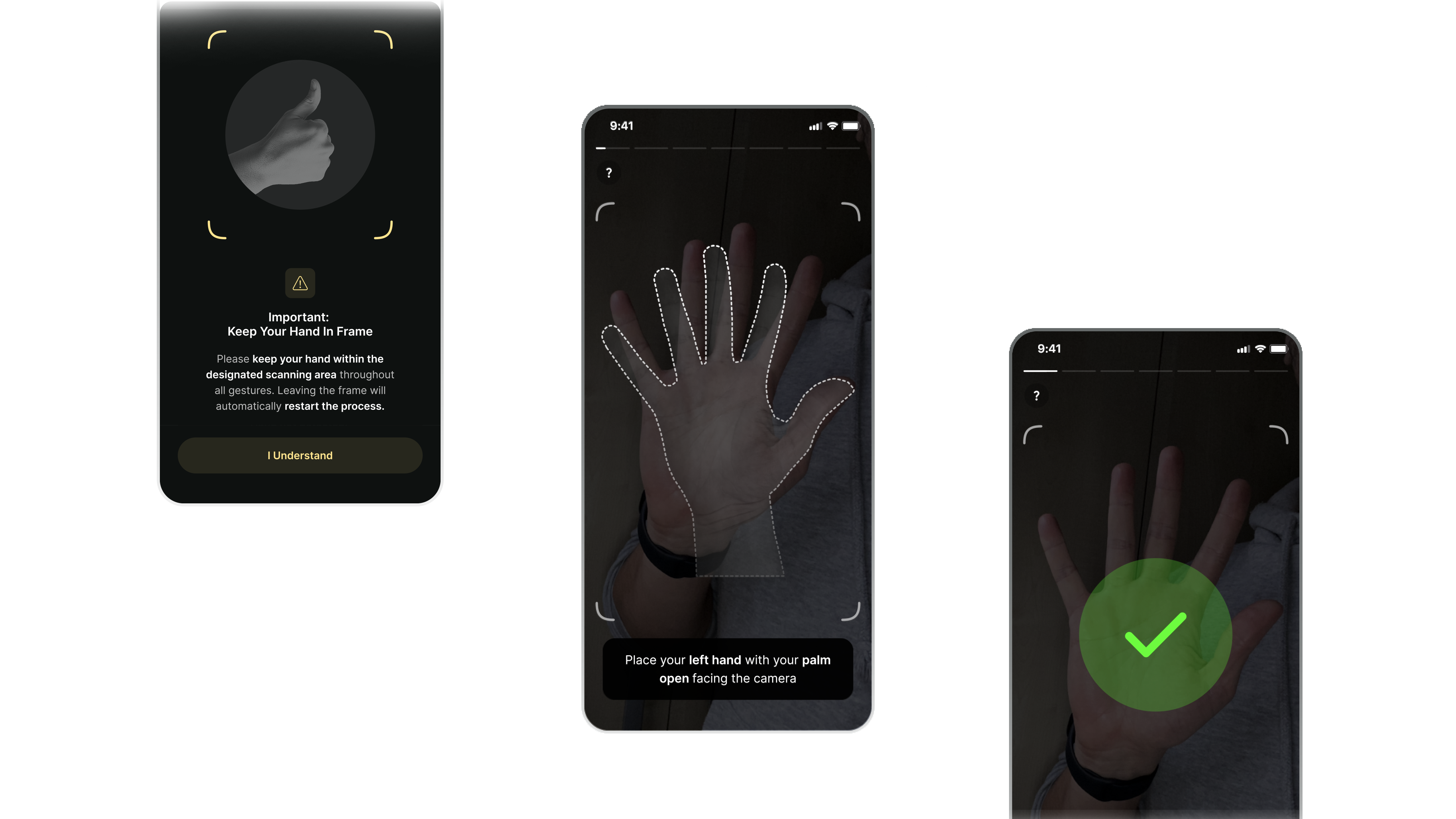
Translating a high-stakes, cutting-edge biometric requirement into a simple, trustworthy user experience was compounded by a formidable stack of constraints.
The enrollment journey itself was inherently complex, demanding not one, but multiple precise gestures to accurately capture the palm print data. My primary design objective—and the largest technical hurdle—was guaranteeing an extremely high capture success rate within this multi-part process. This required me to research technical parameters, including evaluating optimal mobile camera specifications and defining the precise distance and lighting feedback to coach users effectively.
Operational challenges added significant friction. We relied on an external SDK team based in China with limited English proficiency, which complicated detailed technical feedback loops. Furthermore, the internal visual design support was insufficient; the lack of competent marketing assets meant the core product interface and my UX decisions had to carry the full burden of establishing user trust and system integrity.
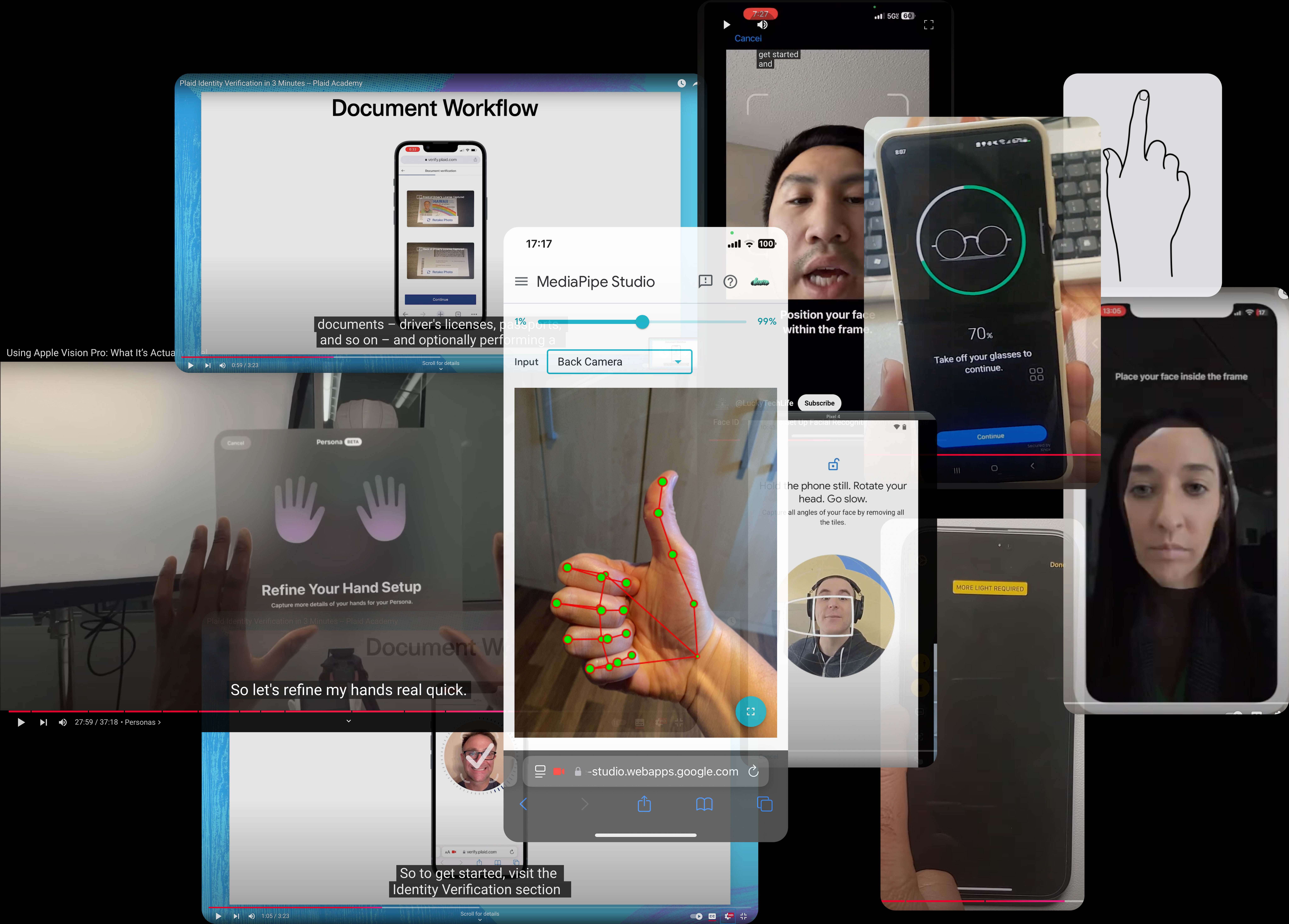
Given the novelty and high security requirements of integrating a decentralized biometric system, the design process began with extensive comparative research across diverse capture technologies and user guidance paradigms. The goal was to de-risk the complex enrollment flow and ensure user trust. My research efforts spanned several key areas:
The transition from research to implementation immediately hit a major roadblock rooted in conflicting technical requirements: the camera choice.
My UX research and biometric analysis consistently showed that the rear-facing camera provided the superior UX, resolution, optics, and lighting necessary for the high-precision capture required by the palm print SDK. Conversely, the front-facing camera presented inherent challenges due to its lower quality and proximity to the user, creating distance and lighting control issues.
The core problem was that the external SDK development team had already hard-coded their logic—including distance parameters and lighting assumptions—to the specifications of the front camera. Switching the camera was not a viable option as it would have completely derailed the development timeline.
This forced a complete shift in my design strategy: the user experience could no longer rely on superior hardware to ensure accuracy. Instead, the design had to aggressively overcompensate for the front camera's limitations through hyper-accurate, real-time user coaching, error recovery, and clear on-screen visual feedback to achieve a high success rate.
One of the most immediate non-technical challenges was the inherent communication barrier with the external China-based SDK development team, whose proficiency in English was limited. This posed a significant risk to the success rate, as precise instructions related to real-time feedback, error states, and transition points could easily be misinterpreted.
To mitigate this critical risk, I took direct ownership of the communication process and implemented a highly visual and standardized system designed for clarity and cross-cultural alignment:
• Detailed Flow Documentation: Every step of the palm print enrollment flow, including all micro-interactions and error states, was meticulously documented using annotated wireframes.
• Process Ownership Mapping: I developed a structured visual map for the end-to-end user journey. This map clearly defined ownership boundaries by explicitly identifying which team (Frontend/Mobile App, External SDK/Biometrics, Backend/Identity Service) was responsible for specific logic, UI elements, and data flow at every stage.
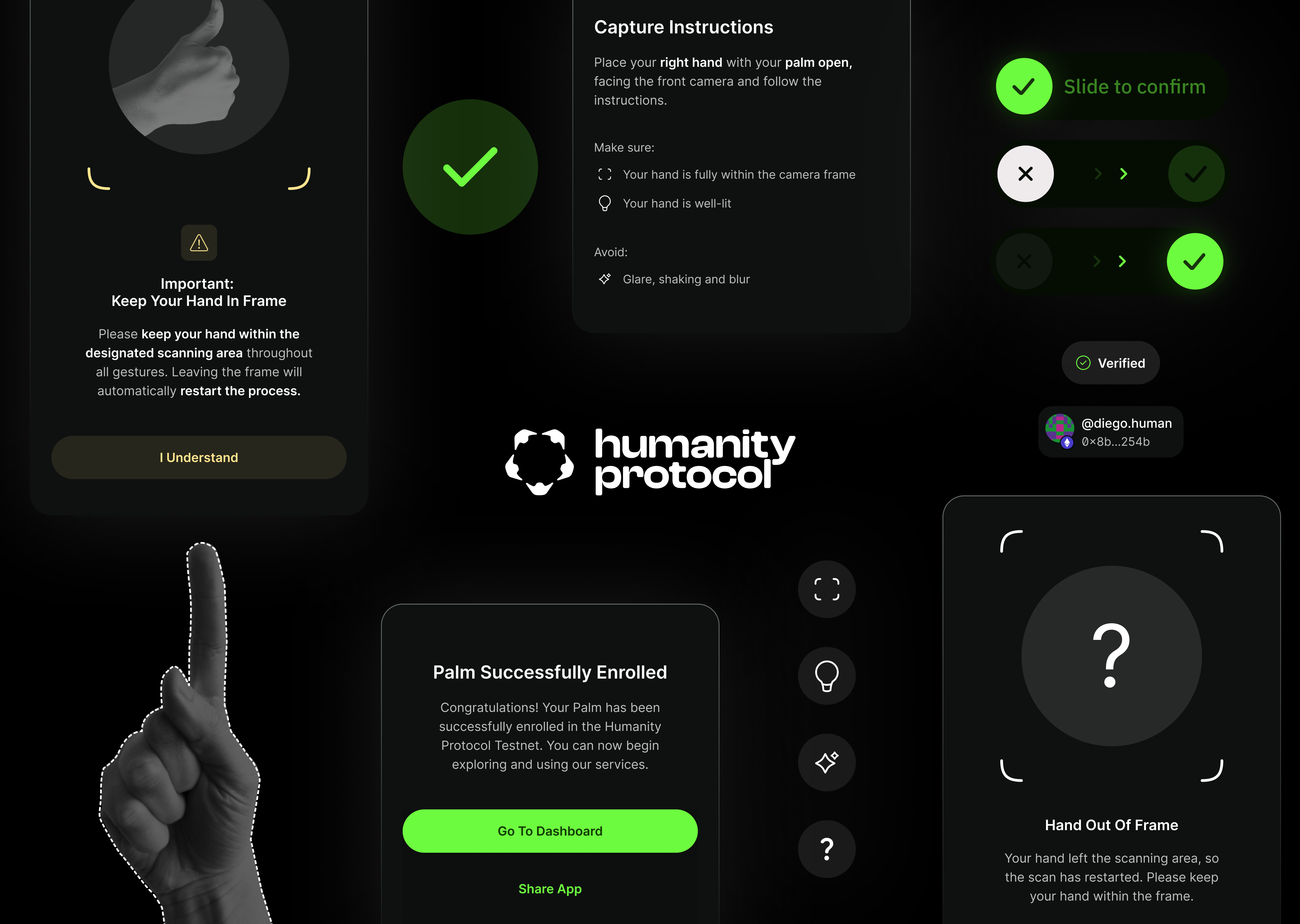
• Standardized Feedback Mechanisms (Error Translation): A critical part of achieving a high success rate was transforming opaque SDK error codes into clear, actionable user instructions. I mandated that, instead of displaying technical failures, the UI must translate the error code into a simple directive telling the user exactly how to resolve the issue. This established a common language for debugging among teams and dramatically improved the user's ability to complete the scan successfully.
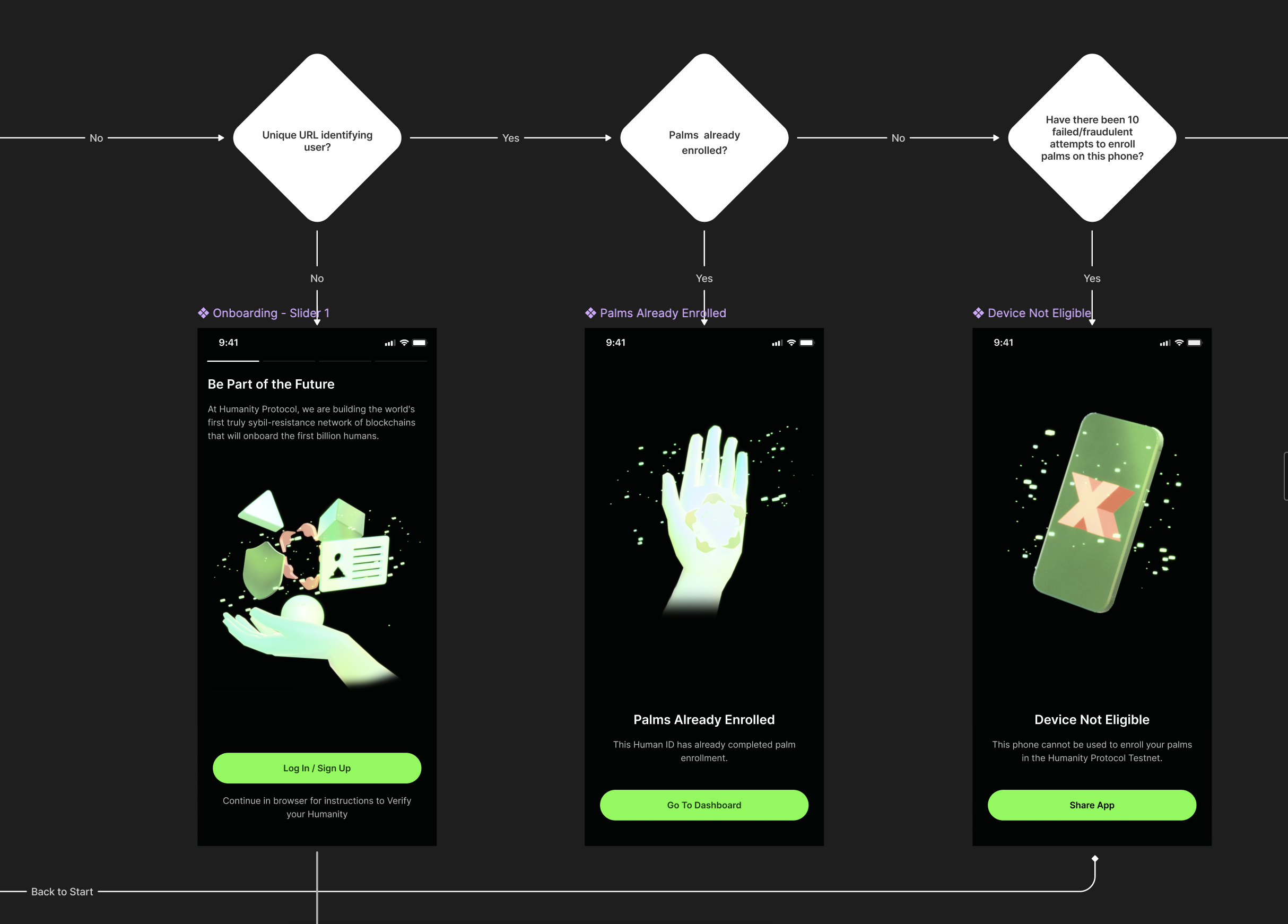
A critical part of achieving a high success rate was transforming opaque SDK error codes into clear, actionable user instructions. I mandated that, instead of displaying technical failures, the UI must translate the error code into a simple directive telling the user exactly how to resolve the issue. This established a common language for debugging among teams and dramatically improved the user's ability to complete the scan successfully.
1009: 'Palm is to the right' --> Move your hand to the left
1010: 'Palm is to the left' --> Move your hand to the right
1011: 'Palm is too high' --> Move your hand down
1012: 'Palm is too low' --> Move your hand up
1013: 'Palm is too far' --> Move your hand closer
1014: 'Palm is too close' --> Move your hand further away
1018: 'Brightness is too dark' --> Increase ambient light
1023: 'Brightness is too bright' --> Reduce ambient light
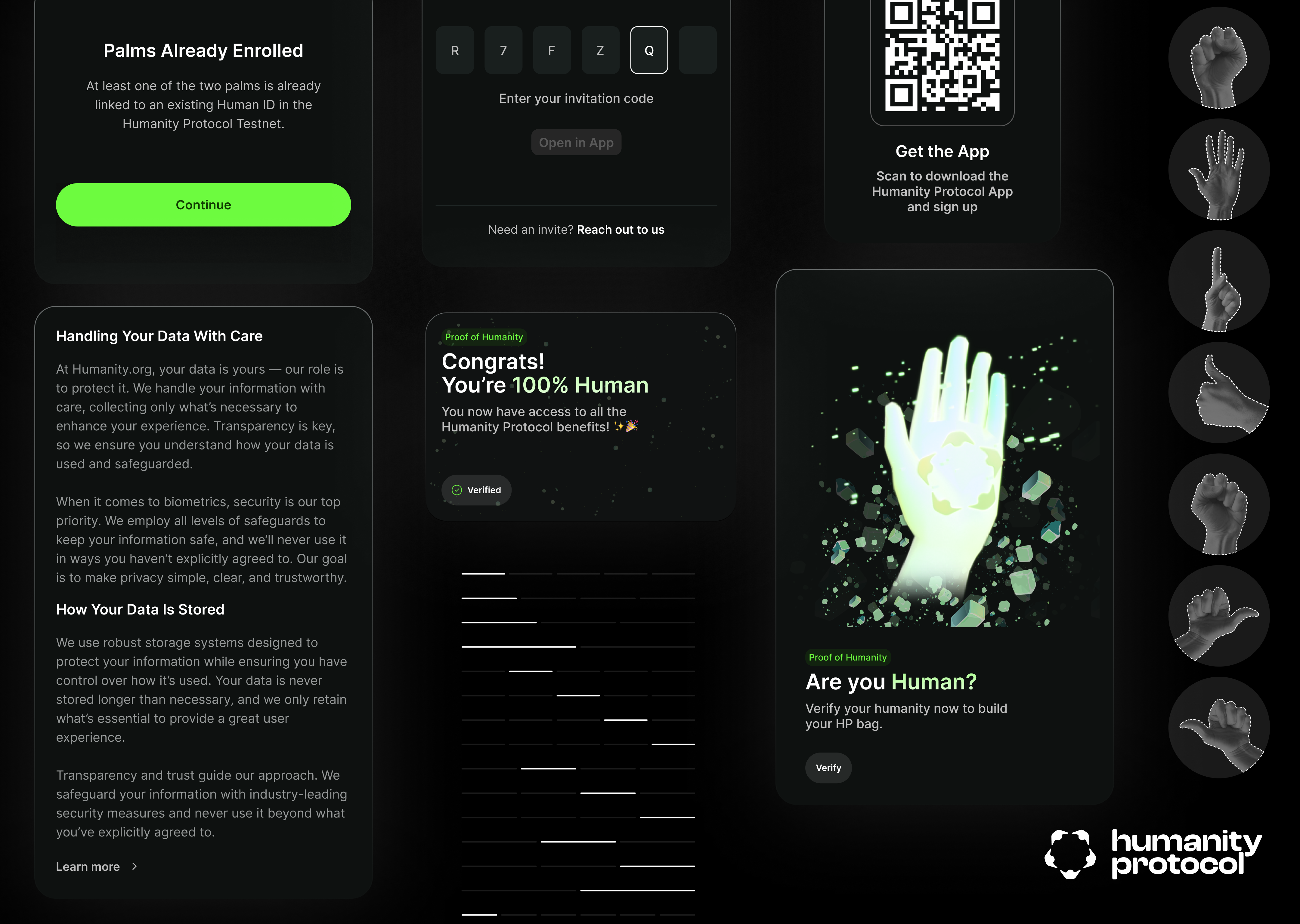
The onboarding experience was the single most critical factor for the application's success. Given the inherent sensitivity surrounding biometric data, my strategy was to design a flow that simultaneously maximized the user success rate and established immediate, non-negotiable trust to combat potential drop-off.
The onboarding flow was structured around two core, tightly integrated pillars:

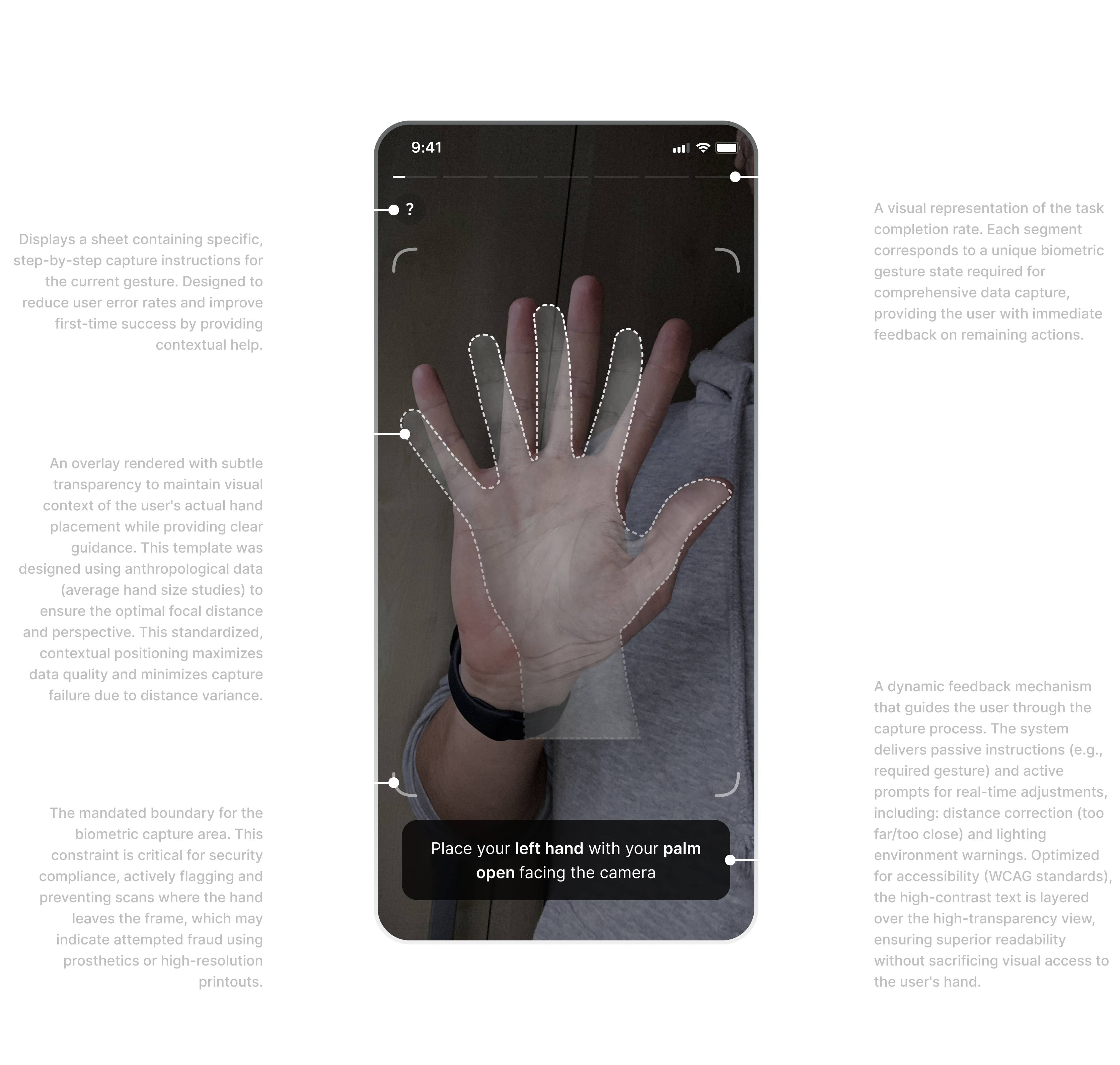
The design prioritized security compliance, guided user positioning, and accessibility (WCAG standards) through the use of real-time contextual feedback. The goal was to minimize capture error rates and prevent fraud while ensuring a seamless first-time user experience.
©2025